I needed a break from tracking North Korean malware. I was starting to feel like a broken record writing about npm and JavaScript malware on repeat. I decided to pick up something niche and almost certainly useless.
Summary
- You can extract a handful of undocumented metadata from Google Docs script tags
- Metadata includes the creation timestamp, revision, text content and embedded links
- I created a corpus of over 25,000 public Google Docs
- This is long-form prose about the project (this is, after all, my weblog). Visit GitHub for the code or browse my public corpus at dochunt.kmsec.uk.
Have you ever viewed a document on Google Docs and wondered how it works under
the hood? Have you ever been curious about what data you can extract from raw
HTML when you open up docs.google.com/document/d/bmljZXRyeW5vdHJlYWwh?
That makes at least two of us, and I don’t think there are a lot of us out
there. I’m concerned for our mental wellbeing.
The scenario
You’re a SOC analyst. An employee in your organisation reports a suspicious Google Docs link they received. You dutifully upload the link the urlscan because you don’t know what else to do. Here’s the report.
urlscan provides a screenshot, neat! But you can’t check what that weird link is because the screenshot is a png, and no matter how hard you stab with your pudgy digits, the png won’t give you the link! Sad!
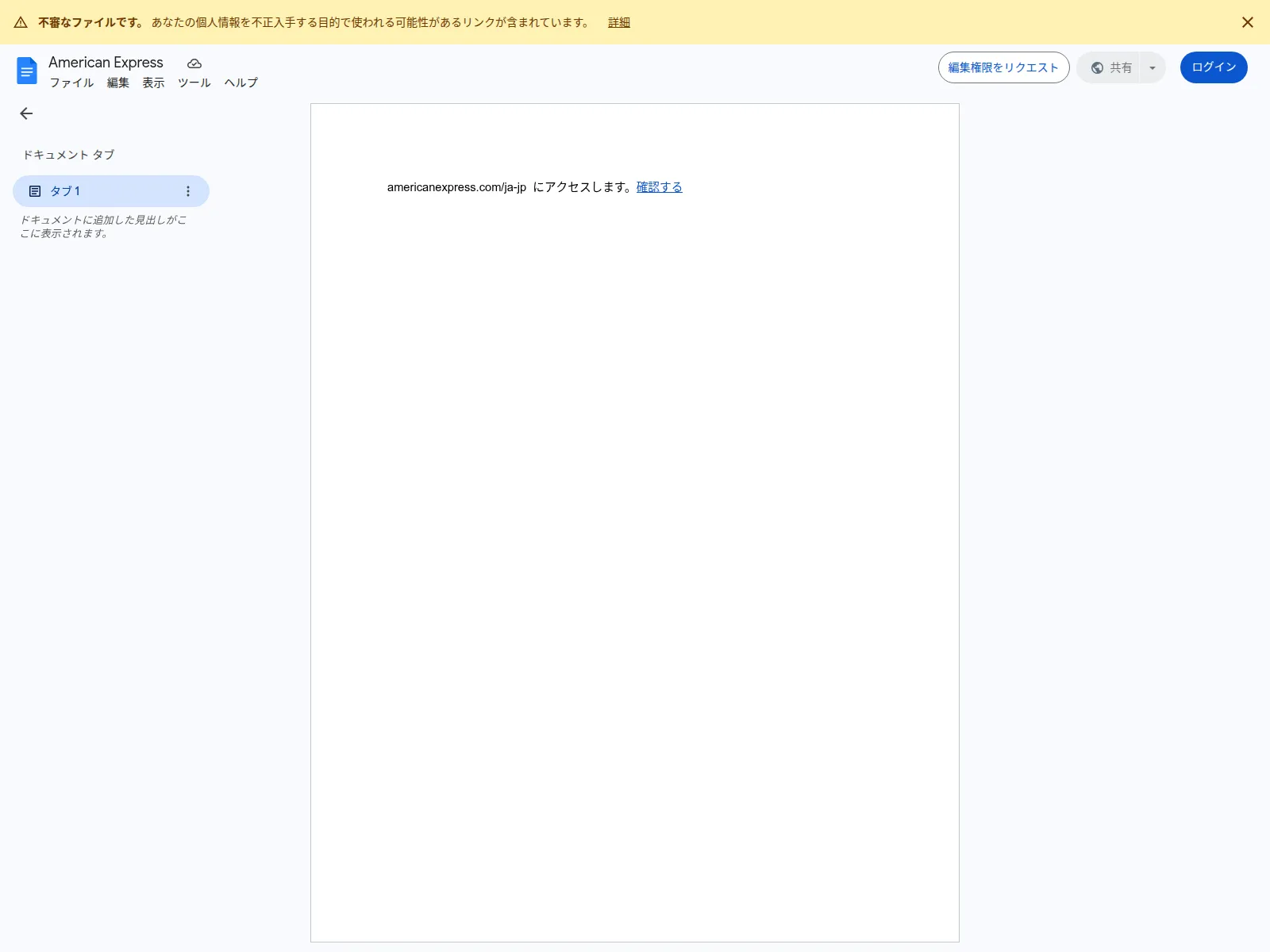
Thankfully, urlscan does give you the ability to view the raw HTML, often kinkily called the DOM (Document Object Model).
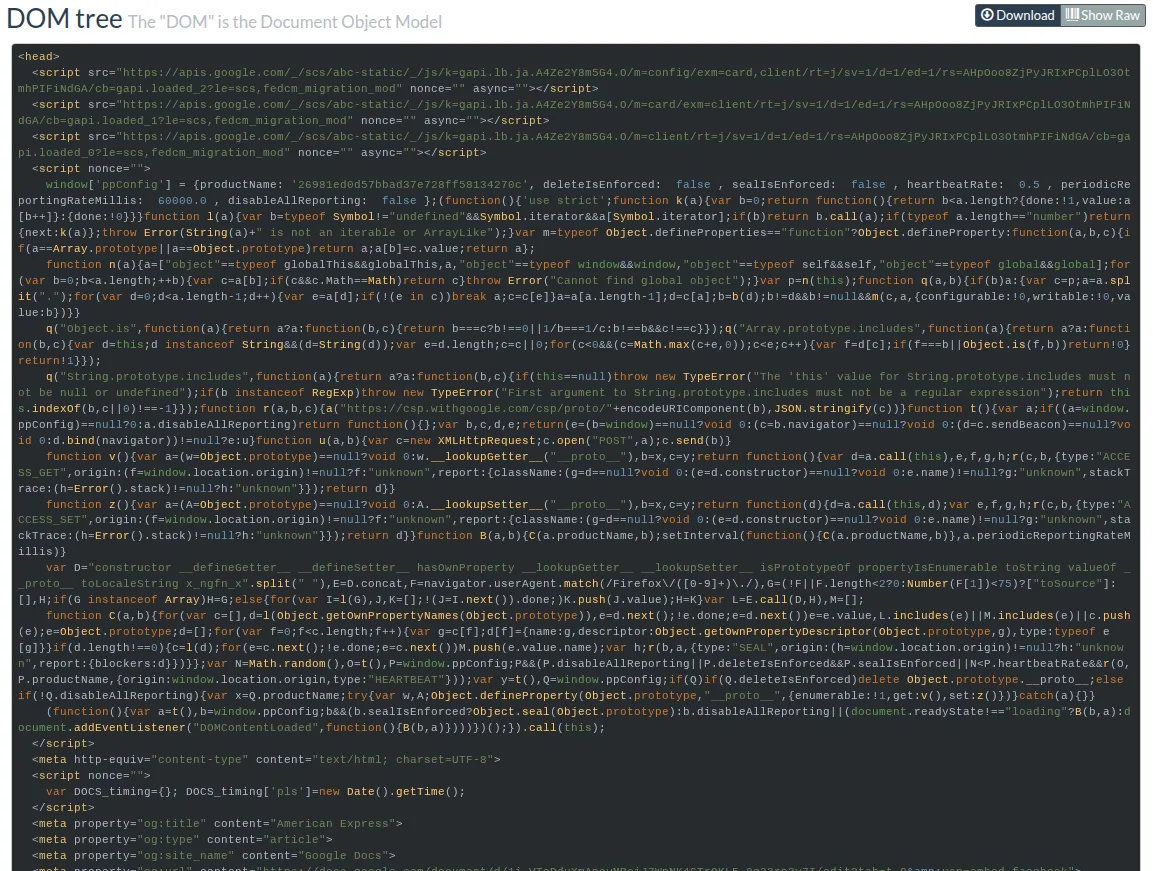
Unfortunately, the DOM hurts your eyes, you can’t read this gibberish! “Give me the malicious link or I’ll close this ticket as false positive!”, you say.
That’s what we’re here to do!
Where is the data?
When you make an initial GET request to a specific document, eg.
docs.google.com/document/d/bmljZXRyeW5vdHJlYWwh/edit,
document metadata and written content are embedded into the DOM within minified
script tags.
Apparently the vast majority of data that you need to work with a document is sent in this single HTTP response. If you opened up your browser’s network tab, you’ll find dozens of subsequent requests triggered by this original document. These subsequent requests consist of fonts, images, WASM and script bundles, internal telemetry generation, and more. For the purposes of this blog post, however, it’s useless fluff.
NoteIf you created a large document with dozens of pages of text, my brief research suggests this is all held in that first HTTP response and not chunked in staged requests like one may reason. Larger documents mean a larger initial HTTP response payload. I’ve seen 13MB of HTML returned for a single document in that first response.
Alternative approaches
Before we start mining HTML, you should know that if you can access a public
document, by default you can export the document into various formats. You can
do this anonymously and programatically by calling the /export endpoint.
For example, hitting the /export endpoint with a format parameter of md
will return the document in Markdown, which is much easier to read for both
humans and machines, and a lot easier to triage as an analyst.
curl https://docs.google.com/document/d/bmljZXRyeW5vdHJlYWwh/export?format=md WarningDo you want to export docs at scale? Don’t! Repeatedly hitting this endpoint for multiple documents in a short timespan will likely lead you to a 403 Forbidden.
Since we want to extract data reliably at scale, exporting documents won’t be feasible.
Meta tags
We’ve committed to the hard task of getting data from raw HTML that we found on urlscan.
HTML parsing is a solved problem in most programming languages, so all we need to do is find interesting stuff to extract.
Thankfully, Google includes handy Open Graph links right in the HTML head. Open Graph is a protocol to present links nicely on social media, so that when you share your love letter on Facebook, people can see the document title, an image preview, and a snippet of the text.
These are easy quick wins for data extraction as they are early on in the DOM and well-structured. If this is all you need, you could finish up parsing here and move on.
<head>
<meta property="og:title" content="You">
<meta property="og:type" content="article">
<meta property="og:site_name" content="Google Docs">
<meta property="og:url"
content="https://docs.google.com/document/d/12ldGQ_O<redacted>/edit?tab=t.0&usp=embed_facebook">
<meta property="og:image"
content="https://lh7-us.googleusercontent.com/docs/AHkbwyL7mzdsmpr-<redacted>=w1200-h630-p">
<meta property="og:image:width" content="1200">
<meta property="og:image:height" content="630">
<meta property="og:description"
content="Alright, to start things up about this whole situation and everything, I’ll start with explaining to you. You, The first time I got to know you, I never thought you’d be the one who’ll make my love life literally on a rollercoaster ride. Never ever. But, ever since you’re texting me back fast, ...">
<meta name="google" content="notranslate">
<meta name="viewport"
content="width=device-width, user-scalable=no, initial-scale=1.0, minimum-scale=1.0, maximum-scale=1.0">
<meta http-equiv="X-UA-Compatible" content="IE=edge;">
<meta name="fragment" content="!">
<meta name="referrer" content="strict-origin-when-cross-origin">
<title>You - Google Docs</title>
</head>
NoteNote the suffix
=w1200-h630-p"on theog:imageproperty. These numbers correspond to the width and height in pixels of the Open Graph preview image. Within limitations, you can manipulate the dimensions of the preview image.By omitting the suffix entirely, you can preview the entire first page of the document.
The
-pcorresponds to pixels. Omitting-preturns an image of the same ratio but with more pixels(??).
Script content
From the dozens of script tags present in Google Docs HTML, you can extract the following metadata:
- Document creation time
- Current revision, representing the number of edits that have been made to the document
- URLs of images embedded in the document (these images are held on Google servers)
- Links present in the doc
- Text content
Why is this data held in script tags? Because these scripts are part of the client-side rendering and editing internals for Kix, Google’s proprietary collaboration engine used for Google Docs, Sheets, et al.
Document creation time and image resources.
There is a single script tag starting with DOCS_timing['sac'] that contains
metadata about a document. It contains a JSON object called config.
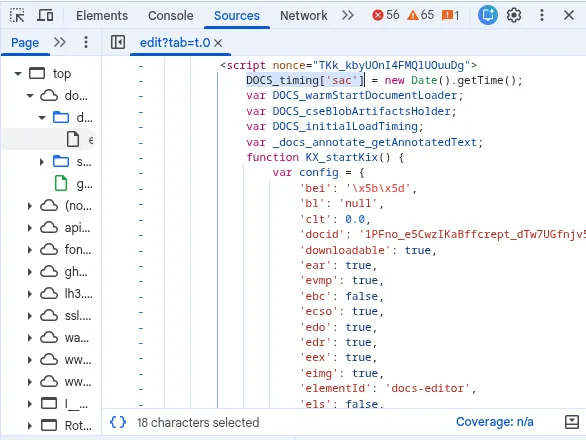
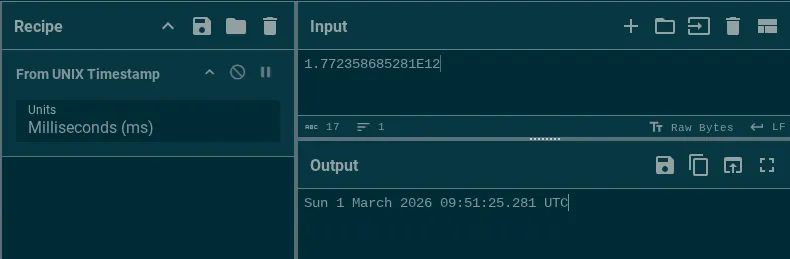
The keys are not verbose, so you have to infer what they mean from their value. config['dct']
is the document creation time, for example. It will look something like this:
config['dct'] = 1.772358685281E12;That corresponds to a UNIX timestamp in ms.
Within this same script tag, you’ll also find image blob urls. These are the urls for images that are contained within the document. When an author adds an image to a document, it will be sent to Google servers, and all embedded images are held there. These image links aren’t very actionable. They’re heavily rate-limited and bot-controlled. You won’t be able to extract and scrape images at any scale.
Text snippets
The actual text of a document is split up and chunked into different script
tags starting with DOCS_modelChunk =. I’m guessing content is chunked in
this way for performance reasons.
Within DOCS_modelChunk, text content is stored in JSON objects with the format:
{"ty": "is", "ibi": 1, "s": "Hello"}Where ty is the type of operation ("is" presumably means insert string?), ibi
is the index/location, and s is the string.
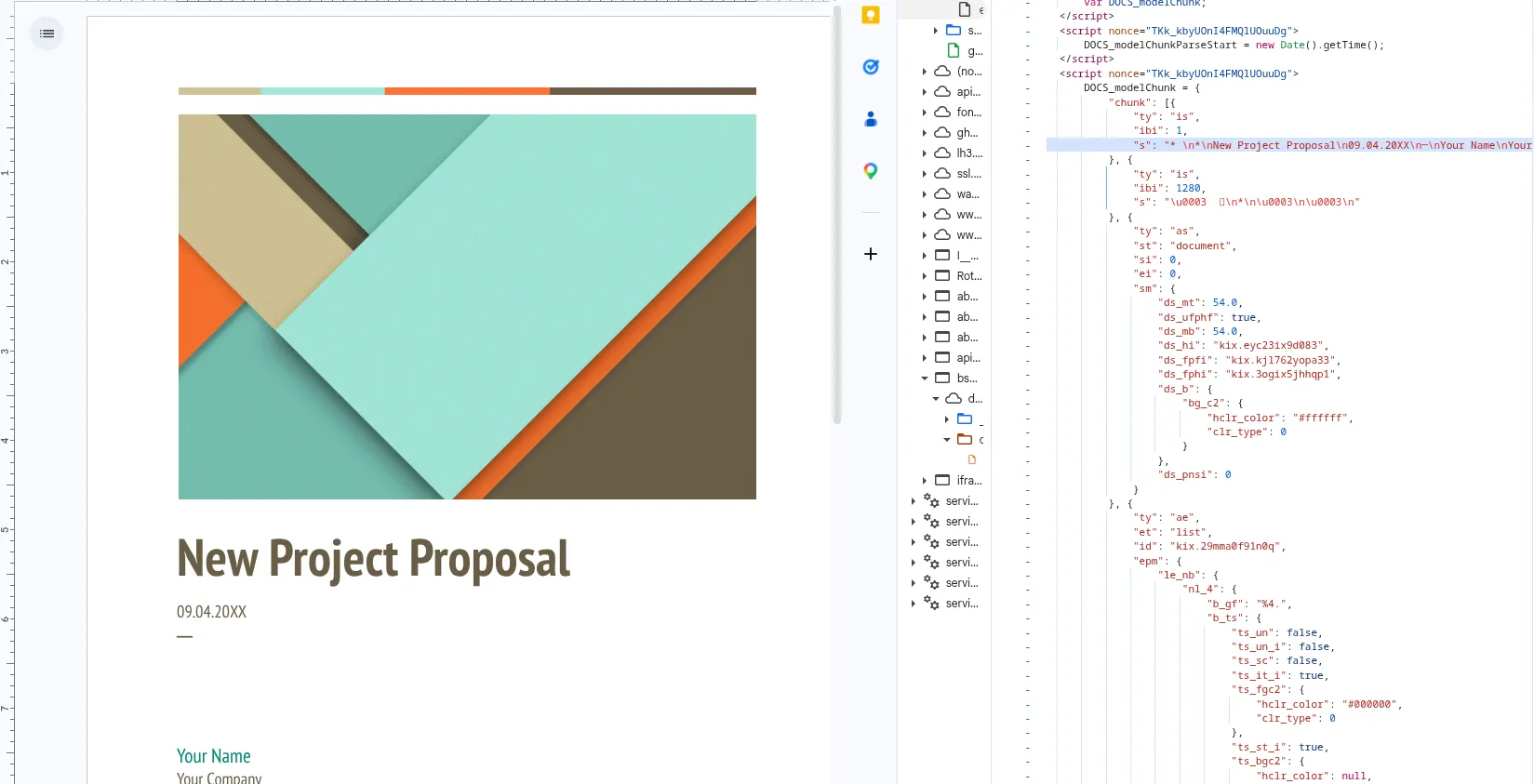
Links are also stored in the same DOCS_modelChunk objects. They look like this:
{
"ty": "as",
"st": "link",
"si": 40,
"ei": 48,
"sm": {
    "lnks_link": {
        "lnk_type": 0,
        "ulnk_url": "https://kmsec.uk"
    }
}
ty : as means add style(?), st means style type(?), si means start index, ei end index.
I’m not entirely sure what lnk_type is. Whatever the case, I mainly care
about ulnk_url.
The gdoc parsing library
I won’t paste the code here because it’s long and not very pretty. You can go straight to the parsing implementation on GitHub.
I used regular expressions to extract data from script tags. By checking if a
script tag starts with DOCS_modelChunk or DOCS_timing, we can speedup
performance by only focussing on elements known to have interesting data.
Bringing it all together
In the introductory scenario, we discussed how difficult it is to click on a link in a screenshot.
I created the library in Go that automates the extraction of the link and other metadata from raw HTML.
I ran it on the aforementioned phishing Google Doc and here’s the result:
{
      "id": "1i_VToDduXmApsyMRciJ7WpNK4GTrQKL5-8g23rn3y7I",
      "title": "American Express",
      "revision": "7",
      "created": "2026-03-27T17:43:15Z",
      "description": "americanexpress.com/ja-jp  にアクセスします。確認する",
      "content": "americanexpress.com/ja-jp  にアクセスします。確認する",
      "links": [
        "https://kathyteal.shop/bzeattxz"
      ],
      "images": [],
}
Why stop here? I went the extra mile and ingested 25,000+ Google Docs visited by commoncrawl and urlscan. I went even further and created an interface where you can hunt and view documents. It’s called dochunt.
Check out the document page for our phishing doc.
As a threat intelligence analyst, I’m also interested in other docs from this campaign. I can search my corpus for other documents using the phrase “確認する”. There are 69 results in my corpus (so far) targeting many brands including American Express, Amazon, JCB, and VISA.
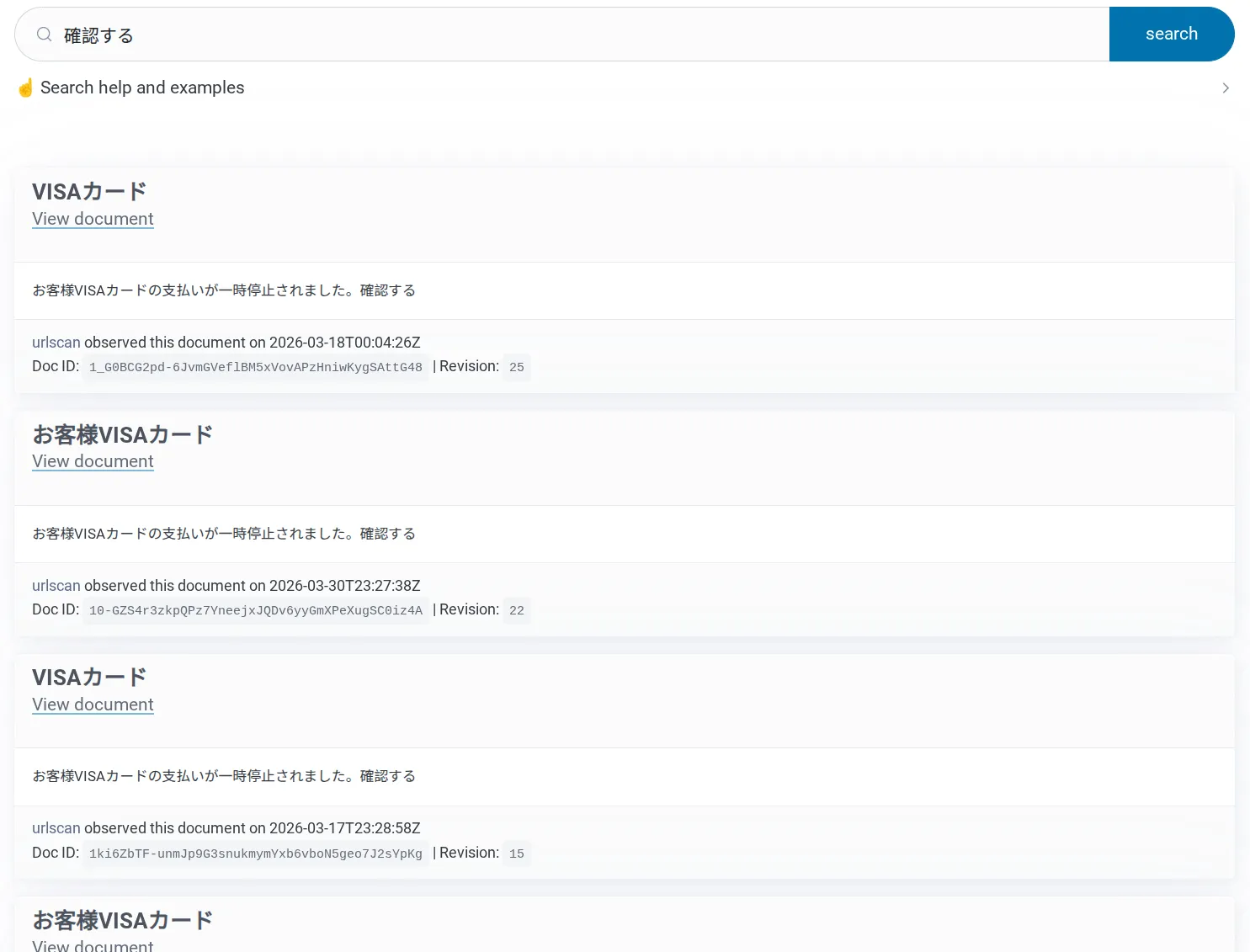
There isn’t any other way to link these documents together into a single campaign without parsing the HTML.
Prior art
Parsing Google Docs content isn’t a new concept. Draftback is a Google extension that plays back the history of a document. The author, James Somers, wrote about his investigative journey into Google Docs way back in 2014. In the article he discusses some of the Kix engine behaviour.
The source code for github.com/google/llm-sidebar-with-context uses a similar
text extraction strategy for Google Docs
FAQ
Can I extract author metadata?
No. Not from static HTML. The static HTML content does not contain the author’s Gaia ID or email address. The only way to identify the author is by opening the document in a browser and waiting for the author to open the document. Their name and profile picture will appear on the screen (and their Gaia ID is visible if you review the network requests).
Can I see when the document was last modified?
No, not as an anonymous user without edit permissions.
Why did you do this?
Sheer expression of free will and cognitive thumb twiddling.